Getting Started
Setup
In your build.gradle:
repositories {
  maven { url = "https://api.modrinth.com/maven" }
}

dependencies {
  // jade_version example: 15.10.0+fabric
  // Visit https://modrinth.com/mod/jade/versions?l=fabric to get the latest version
  modImplementation "maven.modrinth:jade:${project.jade_version}"
}
In your build.gradle:
repositories {
  maven { url = "https://api.modrinth.com/maven" }
}

dependencies {
  // jade_version example: 15.10.0+neoforge
  // Visit https://modrinth.com/mod/jade/versions?l=neoforge to get the latest version
  implementation "maven.modrinth:jade:${project.jade_version}"
}
Visit Modrinth Maven to find more information about how to set up your workspace.
Registering
package snownee.jade.test;

import snownee.jade.api.IWailaClientRegistration;
import snownee.jade.api.IWailaCommonRegistration;
import snownee.jade.api.IWailaPlugin;
import snownee.jade.api.WailaPlugin;

@WailaPlugin
public class ExamplePlugin implements IWailaPlugin {

  @Override
  public void register(IWailaCommonRegistration registration) {
    //TODO register data providers and hiding things here
  }

  @Override
  public void registerClient(IWailaClientRegistration registration) {
    //TODO register component providers, icon providers, callbacks, and config options here
  }
}
Note
For Fabric user, you need to add entrypoints in your fabric.mod.json
{
  "entrypoints": {
    "jade": [
      "full.class.path.to.ExamplePlugin"
    ]
  }
}
Component Provider
Component providers can append information (texts or images) to the tooltip.
Let's create a simple block component provider that adds an extra line to all the furnaces:
package snownee.jade.test;

import net.minecraft.network.chat.Component;
import net.minecraft.resources.ResourceLocation;
import snownee.jade.api.BlockAccessor;
import snownee.jade.api.IBlockComponentProvider;
import snownee.jade.api.ITooltip;
import snownee.jade.api.config.IPluginConfig;

public class ExampleComponentProvider implements IBlockComponentProvider {
  public static final ExampleComponentProvider INSTANCE = new ExampleComponentProvider();

  @Override
  public void appendTooltip(
    ITooltip tooltip,
    BlockAccessor accessor,
    IPluginConfig config
  ) {
    tooltip.add(Component.translatable("mymod.fuel"));
  }

  @Override
  public ResourceLocation getUid() {
    return ExamplePlugin.FURNACE_FUEL;
  }
}
Here you have the tooltip that you can do many various operations to the tooltip. You can take the tooltip as a list of Component. But here our elements are IElements, to support displaying images, not just texts. In this case we only added a single line.
You also have the accessor, which you can get access to the context. We will use it later.
Then register our ExampleComponentProvider:
@Override
public void registerClient(IWailaClientRegistration registration) {
  registration.registerBlockComponent(ExampleComponentProvider.INSTANCE, AbstractFurnaceBlock.class);
}
AbstractFurnaceBlock.class means we will append our text only when the block is extended from AbstractFurnaceBlock.
Once your component provider is registered, Jade will create a config option for the user to toggle the provider. So don't forget to add translation for your option.
Note
If you want to control the position your elements are inserted, you can override getDefaultPriority method in your component provider. Greater is lower. -5000 ~ 5000 is for normal providers and they will be folded in the Lite mode.
Now launch the game:
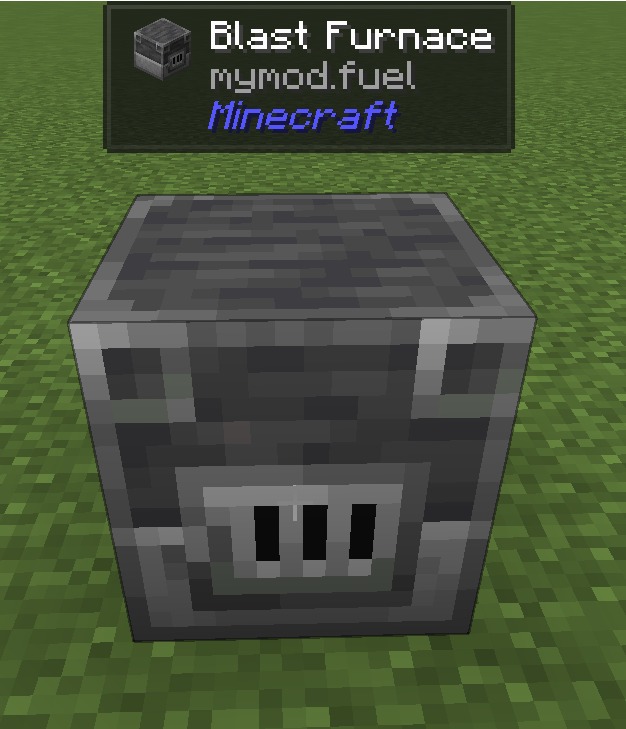
Congrats you have implemented your first Jade plugin!
Server Data Provider
IServerDataProvider can help you sync data that is not on client side. In this tutorial it is the remaining burn time of the furnace. It will sync to the client every 250 milliseconds.
This is a chart shows the basic lifecycle:
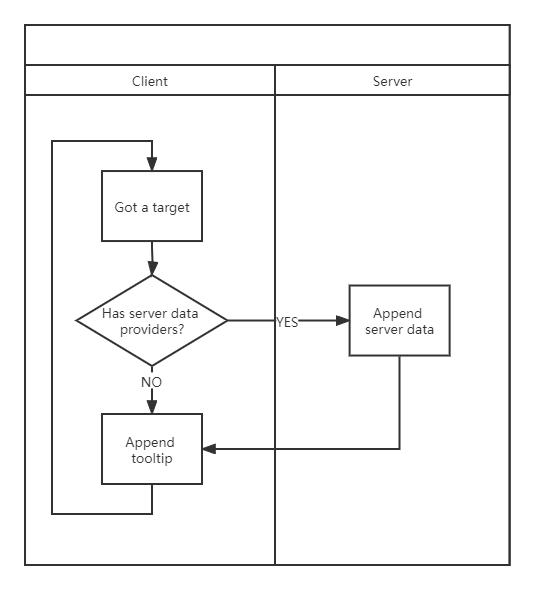
Now it's time to implement our IServerDataProvider. Usually we will use StreamServerDataProvider for simplicity and allow use to use StreamCodec to encode/decode data:
package snownee.jade.test;

import net.minecraft.network.RegistryFriendlyByteBuf;
import net.minecraft.network.codec.ByteBufCodecs;
import net.minecraft.network.codec.StreamCodec;
import net.minecraft.resources.ResourceLocation;
import net.minecraft.world.level.block.entity.AbstractFurnaceBlockEntity;
import org.jetbrains.annotations.Nullable;
import snownee.jade.api.BlockAccessor;
import snownee.jade.api.StreamServerDataProvider;

public class ExampleDataProvider
  implements StreamServerDataProvider<BlockAccessor, Integer> {
  public static final ExampleDataProvider INSTANCE = new ExampleDataProvider();

  @Override
  public @Nullable Integer streamData(BlockAccessor accessor) {
    return ((AbstractFurnaceBlockEntity) accessor.getBlockEntity()).litTimeRemaining;
  }

  @Override
  public StreamCodec<RegistryFriendlyByteBuf, Integer> streamCodec() {
    return ByteBufCodecs.VAR_INT.cast();
  }

  @Override
  public ResourceLocation getUid() {
    return ExamplePlugin.FURNACE_FUEL;
  }
}
Here we used Access Transformers or Access Wideners to get access to the protected field.
Register IServerDataProvider:
@Override
public void register(IWailaCommonRegistration registration) {
    registration.registerBlockDataProvider(ExampleDataProvider.INSTANCE, AbstractFurnaceBlockEntity.class);
}
Changes are made on the client side to get the data:
package snownee.jade.test;

import java.util.List;
import java.util.Optional;
import net.minecraft.client.gui.components.Button;
import net.minecraft.network.chat.ClickEvent;
import net.minecraft.network.chat.CommonComponents;
import net.minecraft.network.chat.Component;
import net.minecraft.network.chat.HoverEvent;
import net.minecraft.network.chat.Style;
import net.minecraft.resources.ResourceLocation;
import net.minecraft.world.item.ItemStack;
import net.minecraft.world.item.Items;
import snownee.jade.Jade;
import snownee.jade.api.BlockAccessor;
import snownee.jade.api.IBlockComponentProvider;
import snownee.jade.api.ITooltip;
import snownee.jade.api.JadeIds;
import snownee.jade.api.config.IPluginConfig;
import snownee.jade.api.ui.Element;
import snownee.jade.api.ui.JadeUI;
import snownee.jade.gui.LayoutWithPadding;

public class ExampleComponentProvider implements IBlockComponentProvider {
  public static final ExampleComponentProvider INSTANCE = new ExampleComponentProvider();

  @Override
  public void appendTooltip(
    ITooltip tooltip,
    BlockAccessor accessor,
    IPluginConfig config
  ) {
    Optional<Integer> fuel = ExampleDataProvider.INSTANCE.decodeFromData(accessor);
    if (fuel.isPresent()) {
      tooltip.add(Component.translatable("mymod.fuel", fuel.get()));
    }
  }

  @Override
  public ResourceLocation getUid() {
    return ExamplePlugin.FURNACE_FUEL;
  }
}
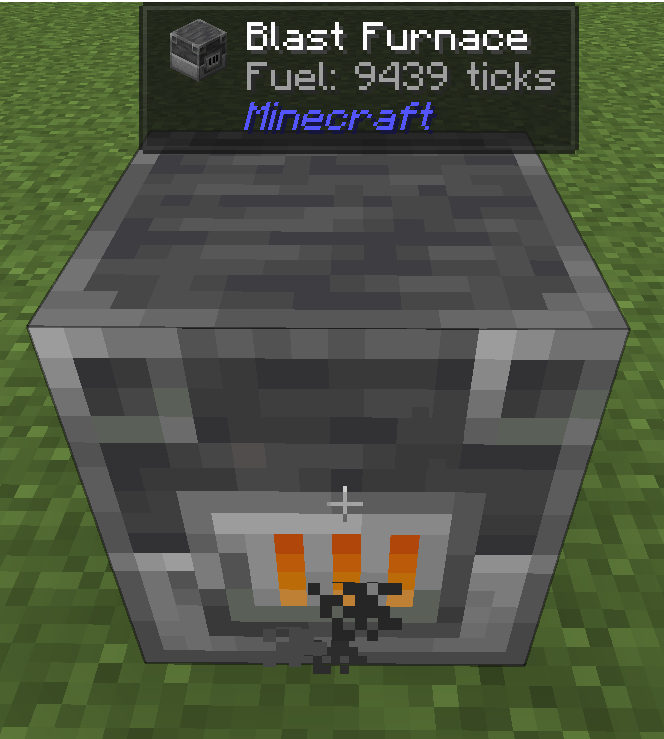
At the end, don't forget to add the translations:
{
  "config.jade.plugin_mymod.furnace_fuel": "Test",
  "mymod.fuel": "Fuel: %d ticks"
}
Great!
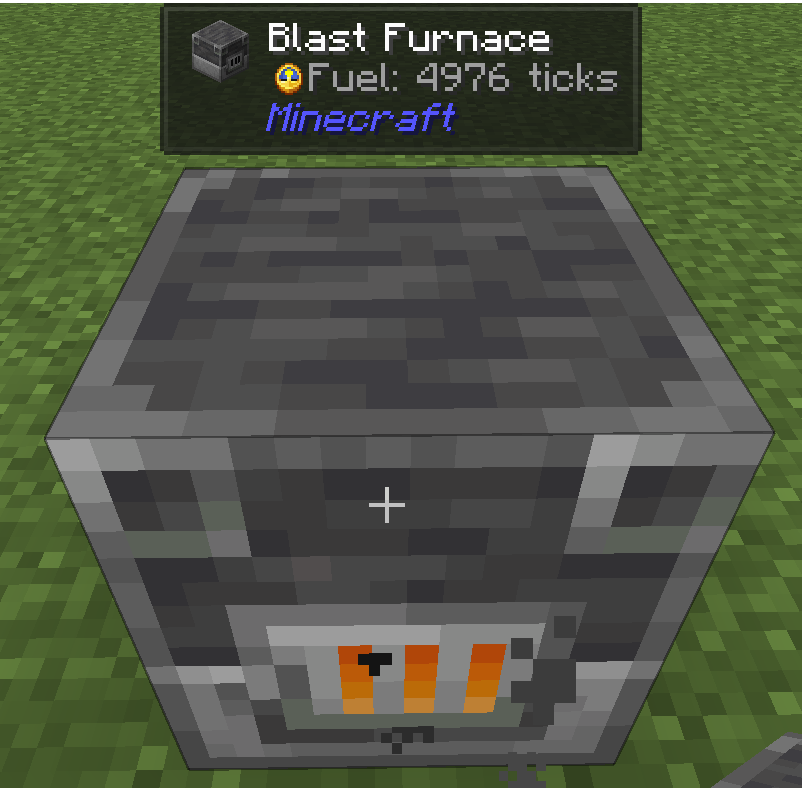
Showing an Item
Now let's show a clock as a small icon:
@Override
public void appendTooltip(
  ITooltip tooltip,
  BlockAccessor accessor,
  IPluginConfig config
) {
  Optional<Integer> fuel = ExampleDataProvider.INSTANCE.decodeFromData(accessor);
  if (fuel.isPresent()) {
    Element icon = JadeUI.smallItem(new ItemStack(Items.CLOCK));
    tooltip.add(icon);
    tooltip.append(Component.translatable("mymod.fuel", fuel.get()));
  }
}
Result: